🧠 What is RabbitMQ (in simple words)?
RabbitMQ is a message broker.
👉 It sits between services and safely stores messages until another service is ready to process them.
Think of it like WhatsApp for services:
- Producer = sender
- RabbitMQ = WhatsApp server
- Consumer = receiver
🧩 Why do we need RabbitMQ?
Without RabbitMQ:
❌ If Email Service is down → request fails
With RabbitMQ:
✅ Backend continues, email is sent later
Key Benefits
- Decouples services
- Handles traffic spikes
- Reliable message delivery
- Async processing
- Retry & failure handling
🏗 RabbitMQ Core Concepts (VERY IMPORTANT)
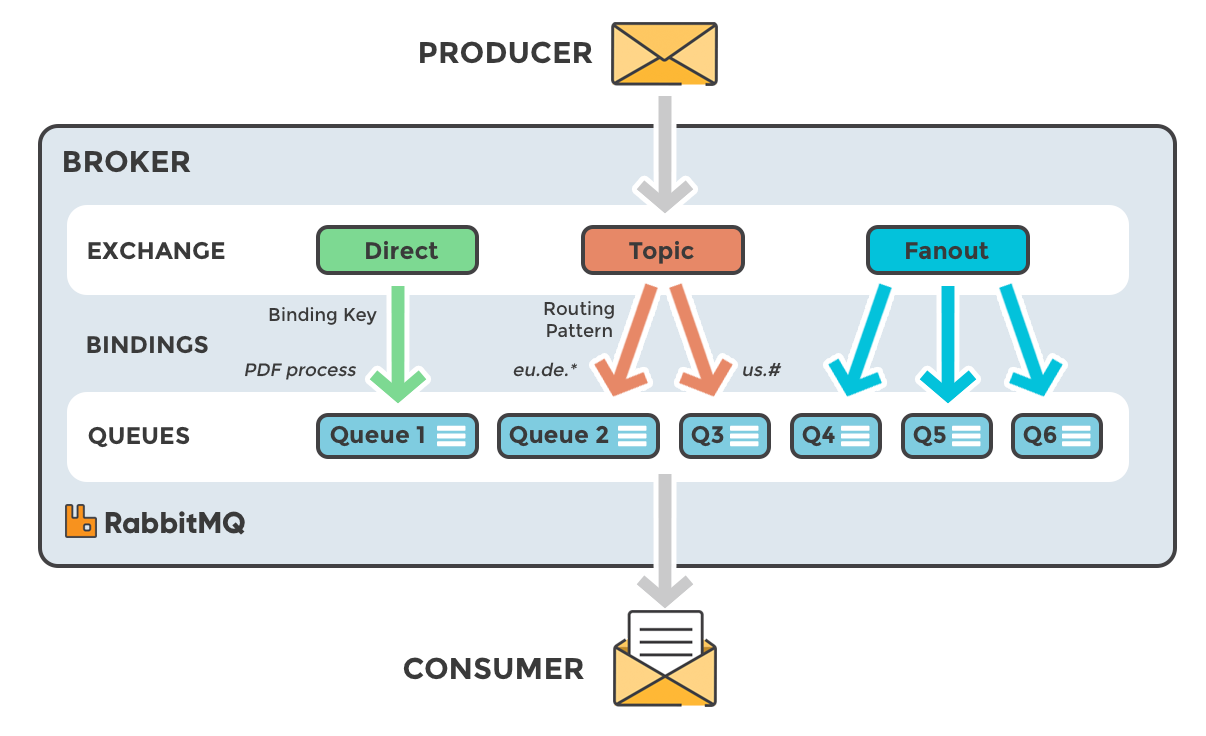
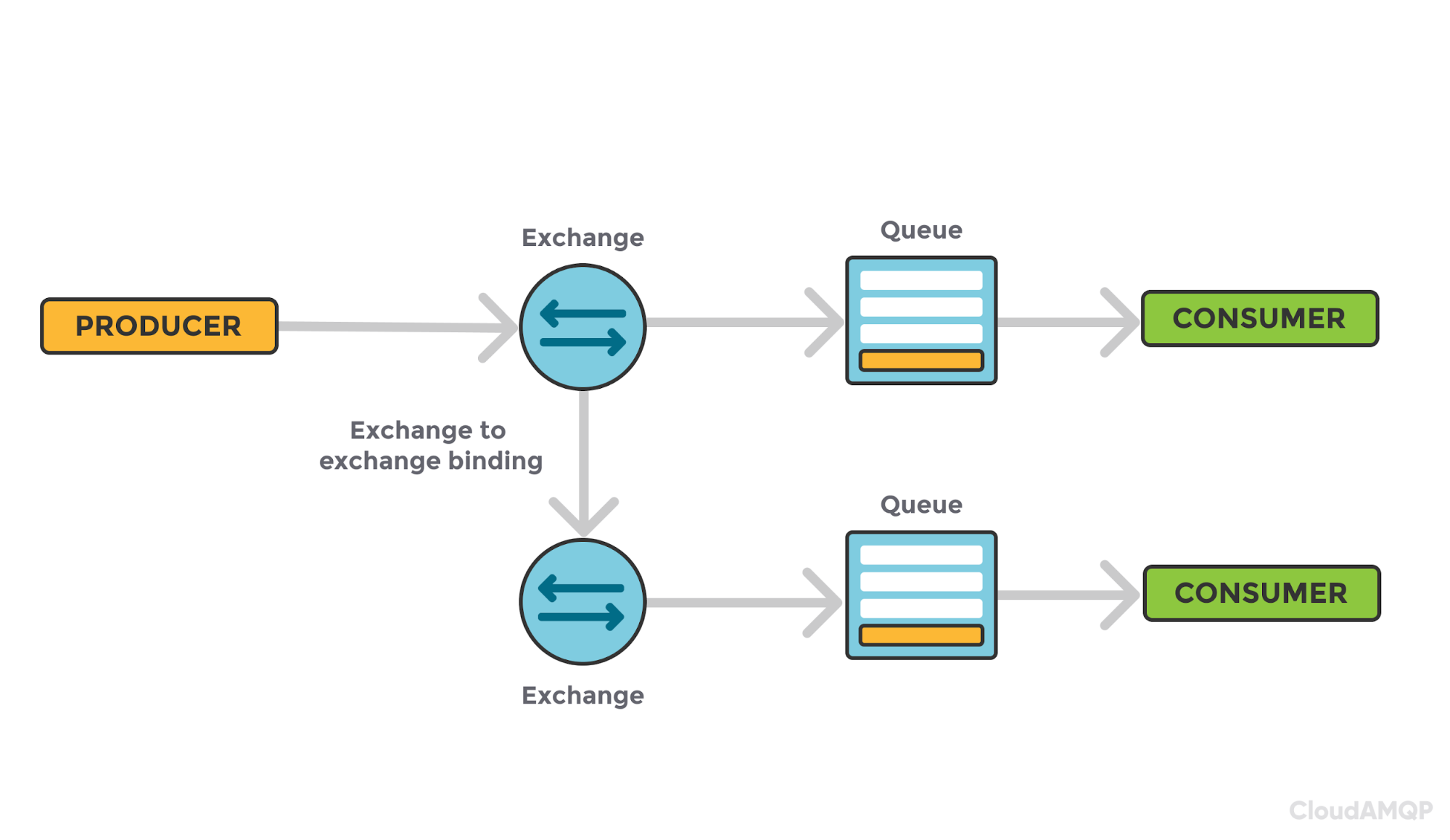
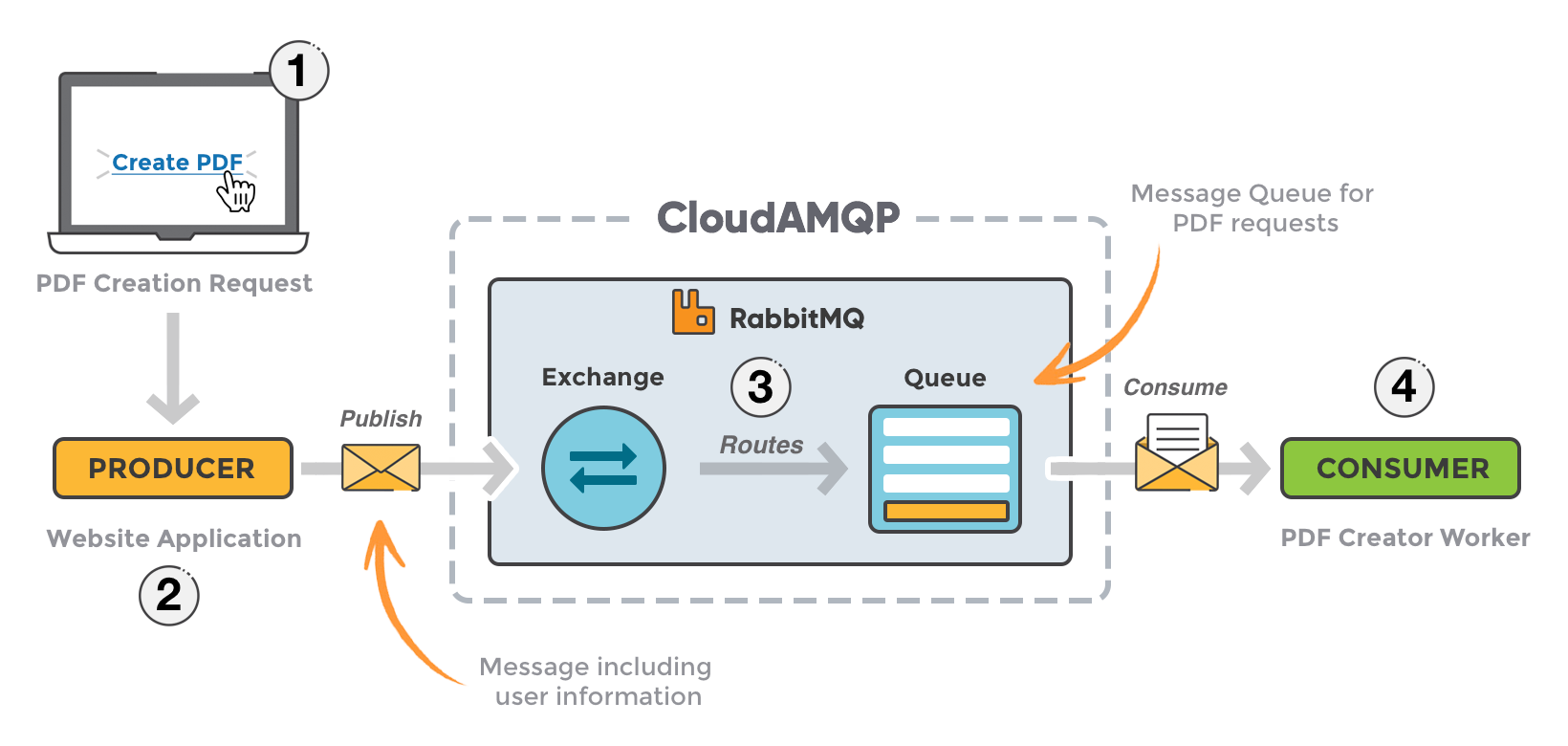
1️⃣ Producer
App that sends messages
2️⃣ Consumer
App that receives messages
3️⃣ Queue
- Stores messages
- FIFO (First In, First Out)
4️⃣ Exchange
- Decides where messages go
- Producers never send directly to queues
5️⃣ Binding
- Rule that connects Exchange → Queue
🔁 Types of Exchanges (Interview Favorite)
| Exchange | Use case |
|---|---|
| Direct | Exact routing |
| Fanout | Broadcast |
| Topic | Pattern-based routing |
| Headers | Header matching |
We’ll use Direct first (easiest).
🚀 Step 1: Run RabbitMQ using Docker (Best for learning)
Access UI
👉 http://localhost:15672
Username: guest
Password: guest
🖥 RabbitMQ Management UI (Must Know)
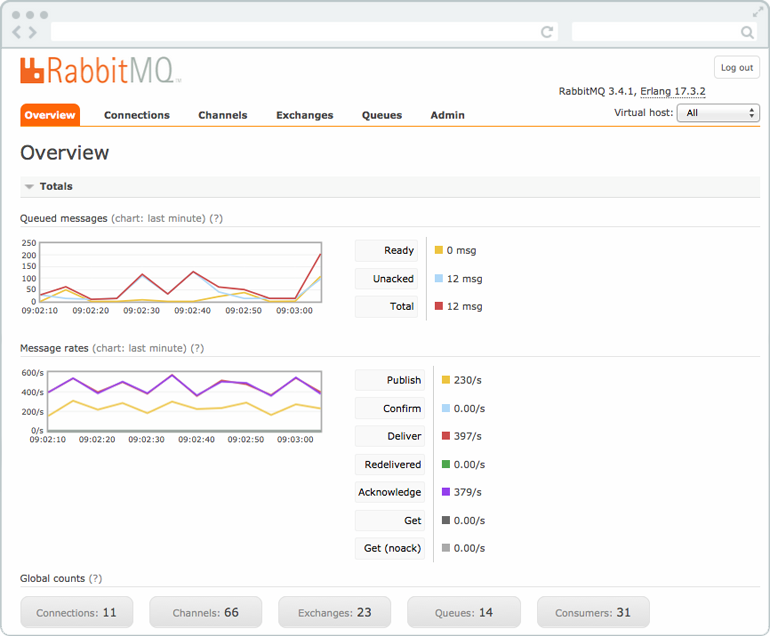
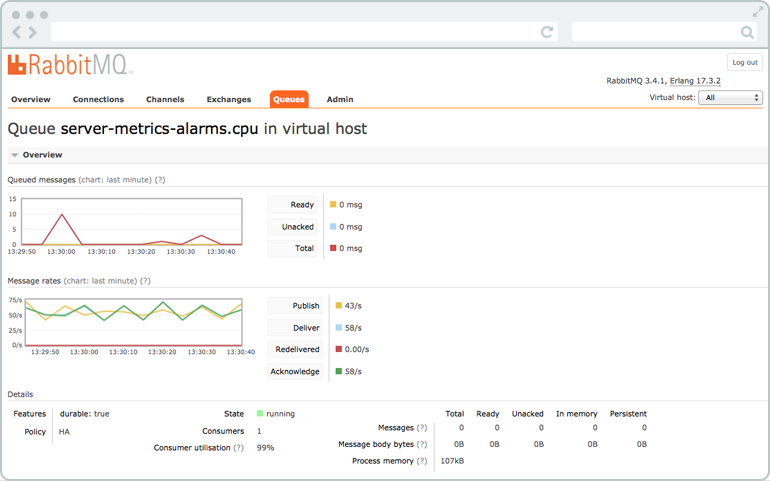
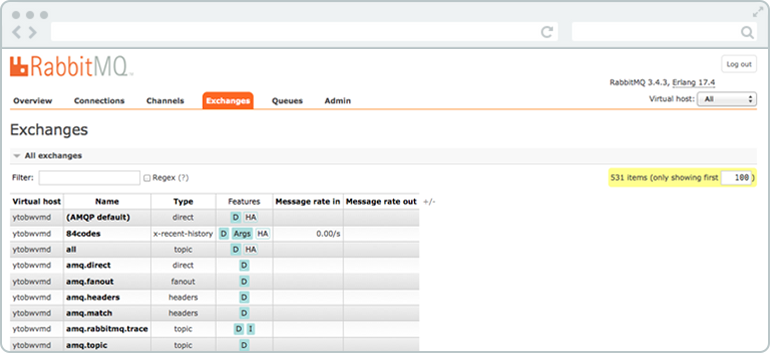
You can:
- Create queues
- Create exchanges
- Bind queues
- Monitor messages
- See consumers
🧪 Step 2: Create Queue & Exchange (Manual – for understanding)
- Go to Exchanges
-
Create exchange:
-
Name:
order_exchange - Type:
direct - Go to Queues
-
Create queue:
-
Name:
order_queue -
Bind:
-
Exchange → Queue
- Routing key:
order.created
🧑💻 Step 3: Producer (Node.js)
Install dependency
producer.js
const amqp = require("amqplib");

async function sendMessage() {
  const connection = await amqp.connect("amqp://localhost");
  const channel = await connection.createChannel();

  const exchange = "order_exchange";
  const routingKey = "order.created";
  const message = {
    orderId: 123,
    product: "Laptop",
    price: 90000
  };

  await channel.assertExchange(exchange, "direct", { durable: true });

  channel.publish(
    exchange,
    routingKey,
    Buffer.from(JSON.stringify(message)),
    { persistent: true }
  );

  console.log("Order sent:", message);

  setTimeout(() => {
    connection.close();
    process.exit(0);
  }, 500);
}

sendMessage();
Run:
👂 Step 4: Consumer (Node.js)
consumer.js
const amqp = require("amqplib");

async function consume() {
  const connection = await amqp.connect("amqp://localhost");
  const channel = await connection.createChannel();

  const queue = "order_queue";
  await channel.assertQueue(queue, { durable: true });

  channel.consume(queue, (msg) => {
    if (msg) {
      const data = JSON.parse(msg.content.toString());
      console.log("Received order:", data);

      // simulate processing
      setTimeout(() => {
        channel.ack(msg);
      }, 1000);
    }
  });
}

consume();
Run:
✅ You’ll see messages flowing 🎉
🔐 Step 5: Message Acknowledgment (VERY IMPORTANT)
| Type | Meaning |
|---|---|
ack |
Message processed successfully |
nack |
Failed, requeue or drop |
| no ack | ❌ Risky (message loss) |
Example:
💀 Step 6: Dead Letter Queue (DLQ)
For failed messages after retries.
Create DLX
Queue config
channel.assertQueue("order_queue", {
  durable: true,
  arguments: {
    "x-dead-letter-exchange": "order_dlx"
  }
});
💡 Failed messages move to DLQ instead of being lost.
⚡ Step 7: Competing Consumers (Scaling)
Run consumer multiple times:
RabbitMQ will load balance messages automatically.
⏱ Step 8: Prefetch (Prevent Overload)
👉 One message at a time per consumer 👉 Prevents memory overload
🔄 Step 9: Retry Pattern (Production Ready)
Use TTL + DLX for delayed retries.
📦 Common Real-World Use Cases
| Use Case | Pattern |
|---|---|
| Email sending | Async queue |
| Payment processing | Reliable delivery |
| Log processing | Fanout |
| Notifications | Topic |
| Microservices | Event-driven |
🧠 RabbitMQ vs Kafka (Quick Clarity)
| RabbitMQ | Kafka |
|---|---|
| Task queue | Event streaming |
| Low latency | High throughput |
| Easier | More complex |
| Per-message ack | Offset-based |
👉 Use RabbitMQ for backend jobs 👉 Kafka for analytics / streams
🚀 Production Best Practices
✅ Use durable queues
✅ Use persistent messages
✅ Enable ack
✅ Use DLQ
✅ Monitor via UI / Prometheus
✅ Don’t use guest in prod
✅ Separate vhosts per app
🧪 Bonus: Docker Compose (Recommended)
🧭 What You Should Learn Next
- Topic exchange
- Retry queues
- Delayed messages
- Priority queues
- Security (users, vhosts)
- RabbitMQ + Kubernetes
- RabbitMQ + OpenTelemetry