🔷 What is Kafka UI?
Kafka UI is a web-based dashboard to:
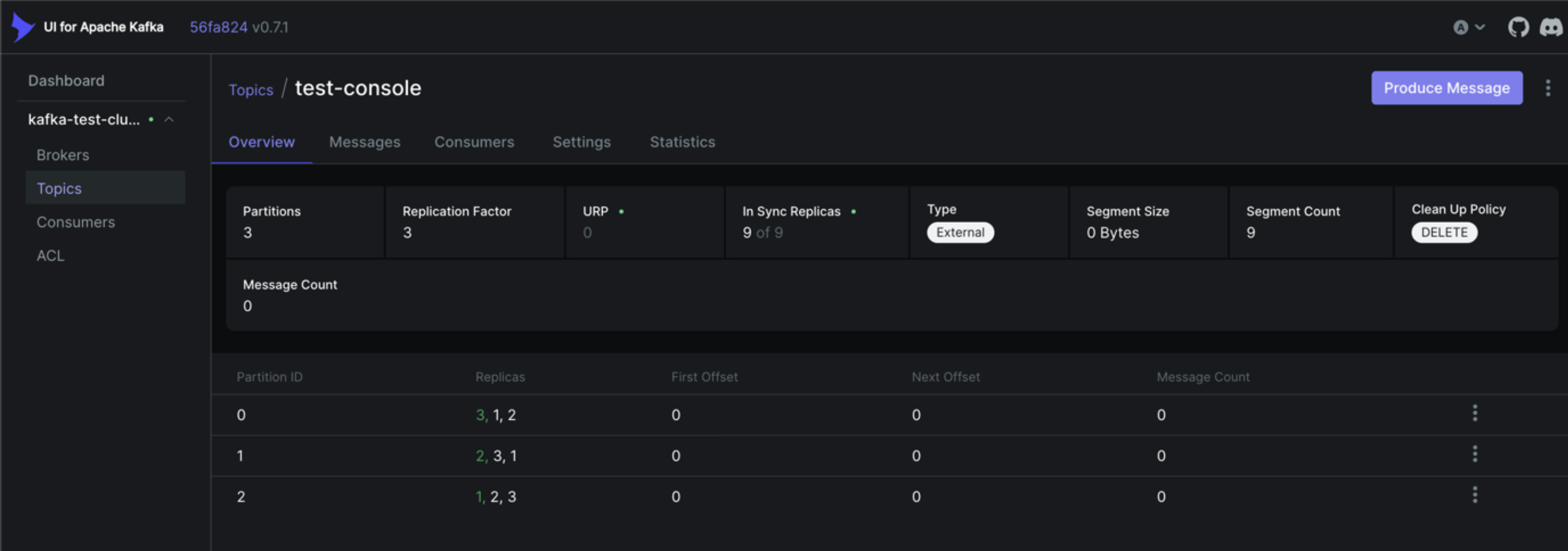
- View topics & partitions
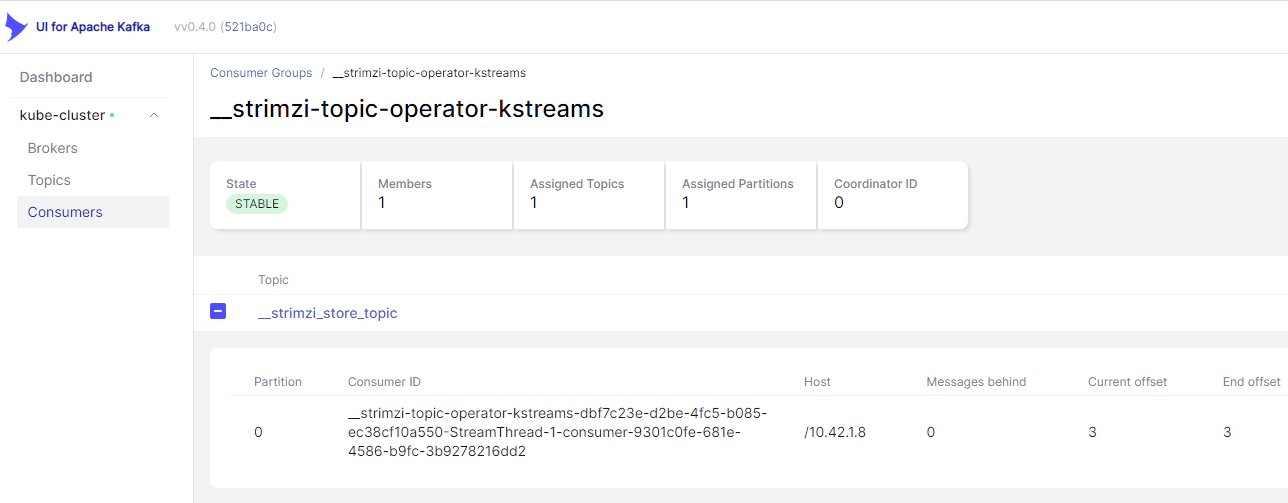
- Monitor consumer groups & lag
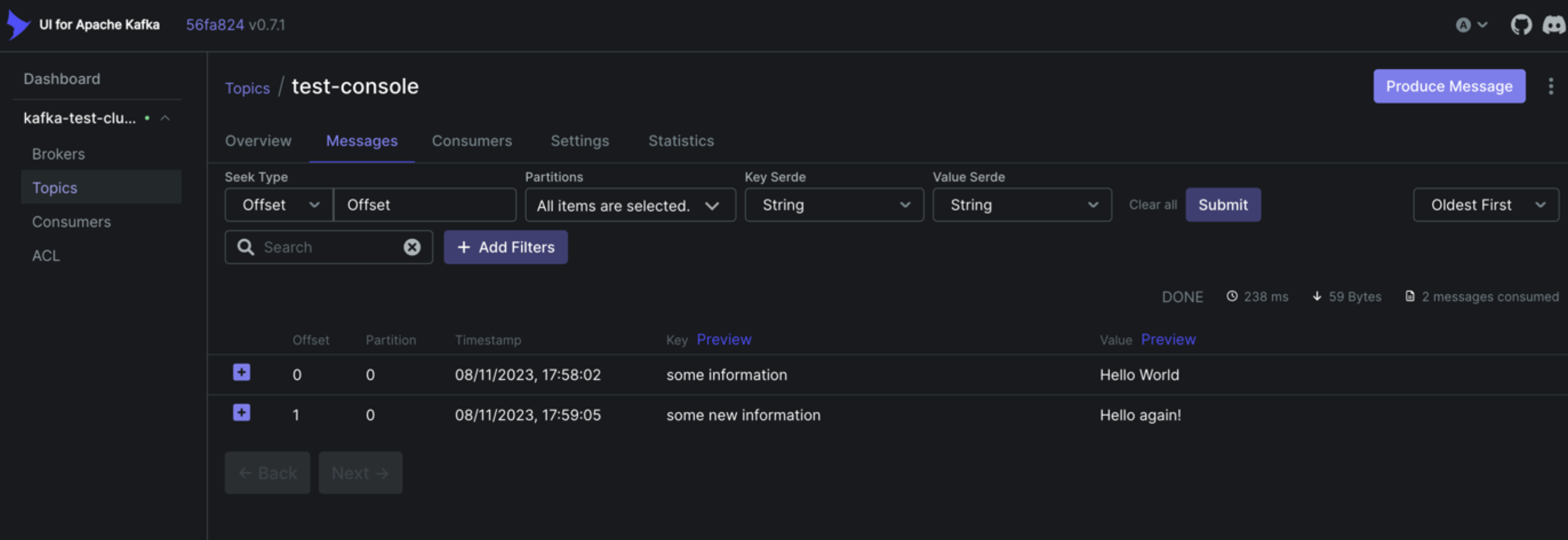
- Produce & consume messages
- Manage schemas
- Inspect configs (safe, read-only by default)
👉 It replaces painful CLI debugging in daily work.

🔷 Why Kafka UI is Important (Real DevOps Reason)
| Without Kafka UI | With Kafka UI |
|---|---|
| CLI only | Visual + CLI |
| Hard to debug lag | Instant lag graphs |
| No visibility | Full cluster insight |
| Risky admin ops | Safer UI actions |
💡 In production, Kafka UI is mandatory, not optional.
🔷 Architecture (How Kafka UI Works)

Kafka UI is stateless → easy to deploy.
🔷 Install Kafka UI (Docker – Recommended)
📦 Prerequisites
- Kafka running (your existing setup)
- Docker
🔹 docker-compose.yml (Kafka + Kafka UI)
version: "3.8"

services:
  zookeeper:
    image: confluentinc/cp-zookeeper:7.6.0
    environment:
      ZOOKEEPER_CLIENT_PORT: 2181

  kafka:
    image: confluentinc/cp-kafka:7.6.0
    ports:
      - "9092:9092"
    environment:
      KAFKA_BROKER_ID: 1
      KAFKA_ZOOKEEPER_CONNECT: zookeeper:2181
      KAFKA_ADVERTISED_LISTENERS: PLAINTEXT://kafka:9092
      KAFKA_LISTENERS: PLAINTEXT://0.0.0.0:9092
      KAFKA_OFFSETS_TOPIC_REPLICATION_FACTOR: 1

  kafka-ui:
    image: provectuslabs/kafka-ui:latest
    ports:
      - "8080:8080"
    environment:
      KAFKA_CLUSTERS_0_NAME: local
      KAFKA_CLUSTERS_0_BOOTSTRAPSERVERS: kafka:9092
    depends_on:
      - kafka
Start everything:
🌐 Access Kafka UI
You should see:
- Cluster name: local
- Broker count
- Topics count
🔷 Kafka UI Features (Hands-On Walkthrough)
1️⃣ Topics View
You can:
- List topics
- See partitions & replication
- Check retention & cleanup policy
👉 Click user-events → Partitions tab
You’ll see:
- Partition ID
- Leader broker
- Offset range
2️⃣ Produce Messages (UI)
Steps:
- Open Topics
- Select topic → Messages
- Click Produce Message
Example:
✔ Message instantly visible to consumers.
3️⃣ Consume Messages (UI)
- Choose topic
-
Set:
-
Offset: earliest / latest
- Limit: 100
- Click Consume
🔥 This is extremely useful for debugging.
4️⃣ Consumer Groups (MOST IMPORTANT)
Open Consumer Groups tab.
You’ll see:
- Group name
- Assigned partitions
- Lag per partition
- Total lag
👉 Lag ≠ bad always 👉 Growing lag = red flag 🚨
5️⃣ Consumer Lag Explained (Visual)
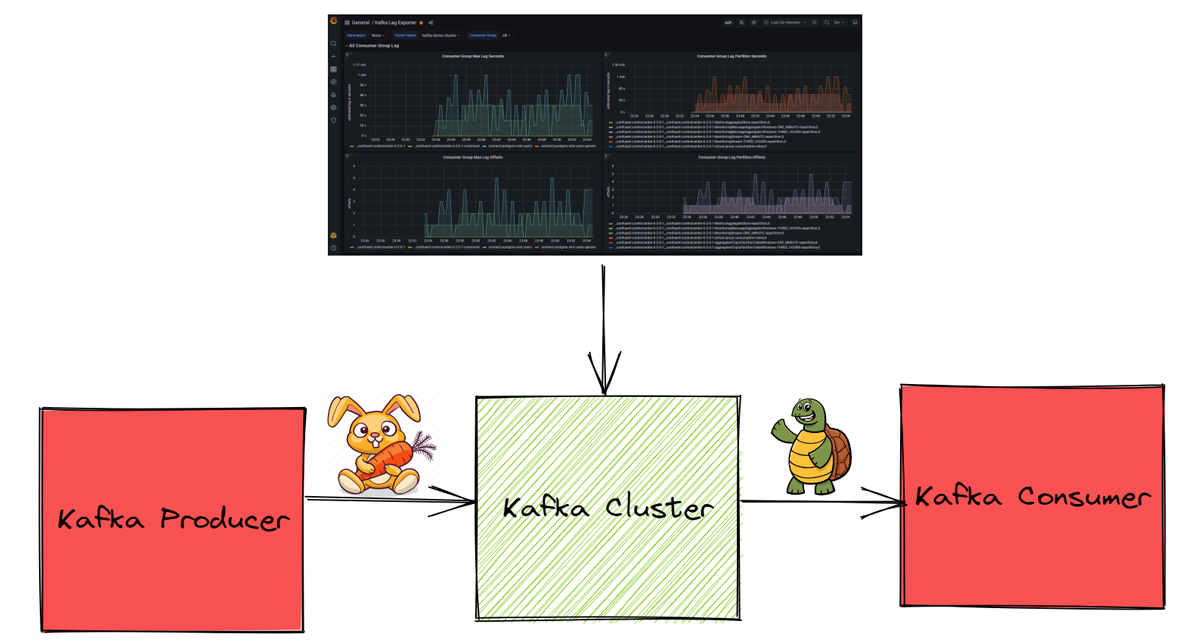
Meaning:
- Consumer is behind
- Needs scaling or optimization
6️⃣ Topic Configuration (Read-only by default)
Kafka UI shows:
- retention.ms
- cleanup.policy
- segment.bytes
⚠️ In production, editing configs should be restricted.
🔷 Schema Registry Integration (Optional but Powerful)
If using Avro / Protobuf / JSON Schema:
Kafka UI can:
- View schemas
- Track versions
- Validate compatibility
Example config:
🔷 Security (Production Setup)
🔐 Authentication Options
- Basic Auth
- OAuth2
- LDAP
- OIDC (Keycloak)
🔒 Kafka Security Support
- SSL
- SASL/PLAIN
- SASL/SCRAM
- SASL/OAUTH
🔷 Kafka UI vs Other Tools
| Tool | Notes |
|---|---|
| Kafka UI | Best open-source UI |
| Confluent Control Center | Paid |
| AKHQ | Older, less UX |
| CLI | Still needed |
👉 Kafka UI is the industry default OSS choice.
🔷 Common Mistakes 🚨
❌ Exposing Kafka UI publicly ❌ No authentication ❌ Using UI to delete prod topics ❌ Ignoring lag warnings
🔷 Best Practices (DevOps Approved ✅)
✔ Deploy Kafka UI inside private network ✔ Protect with auth ✔ Read-only for most users ✔ Monitor lag via Prometheus ✔ Use UI for debugging, not automation
🔷 When to Use Kafka UI vs CLI
| Task | Tool |
|---|---|
| Debug lag | Kafka UI |
| Inspect messages | Kafka UI |
| Bulk admin | CLI |
| Automation | CLI / Terraform |
🧠 Mental Model
Kafka UI is your observability lens, not your control plane.
✅ What You Can Do Now
- Debug consumer lag in seconds
- Inspect live Kafka data
- Safely explore production clusters
- Reduce incident resolution time