🧱 HashiCorp Consul — ALL PILLARS PRACTICAL (Docker)
Tool: Consul Vendor: HashiCorp
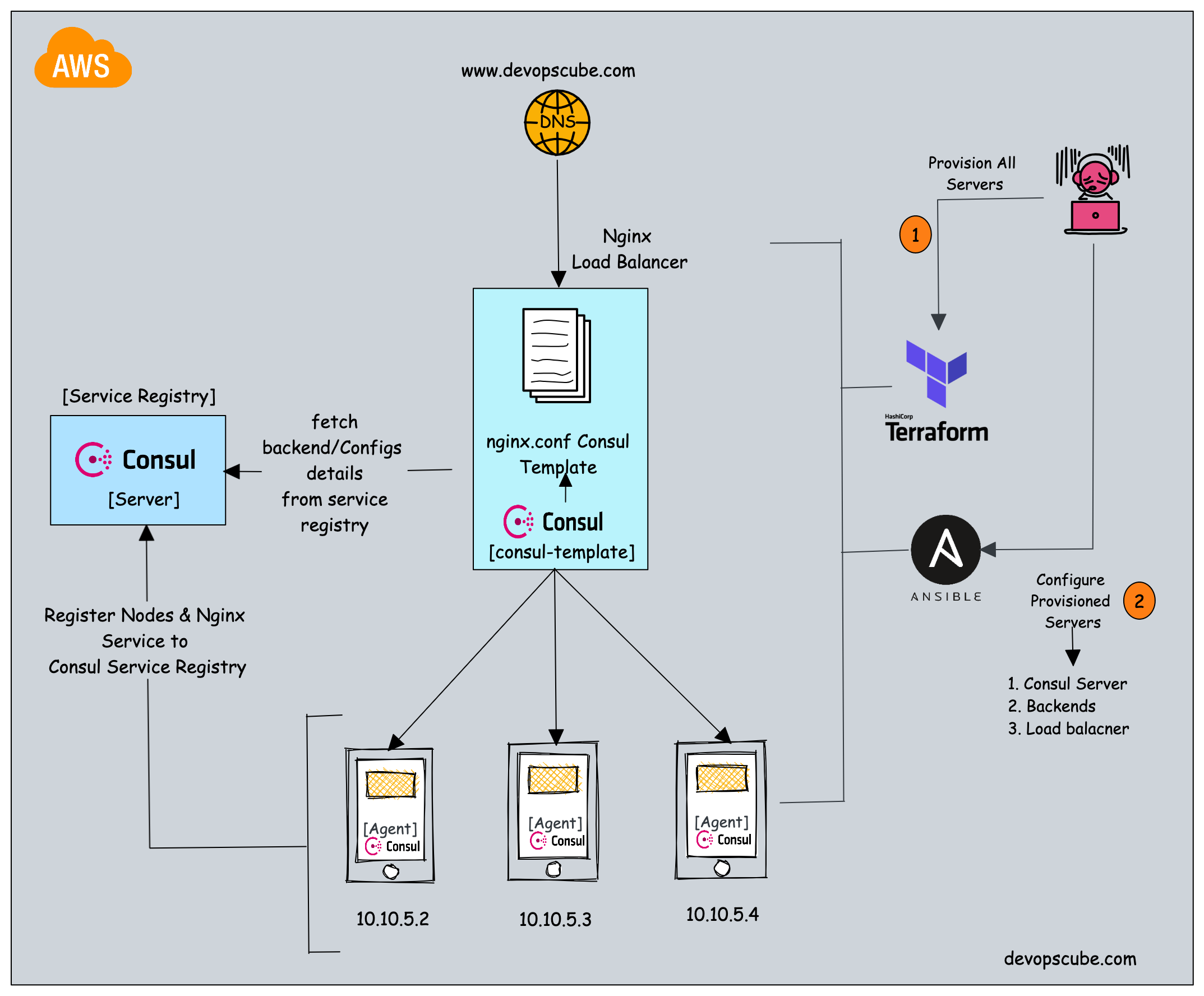


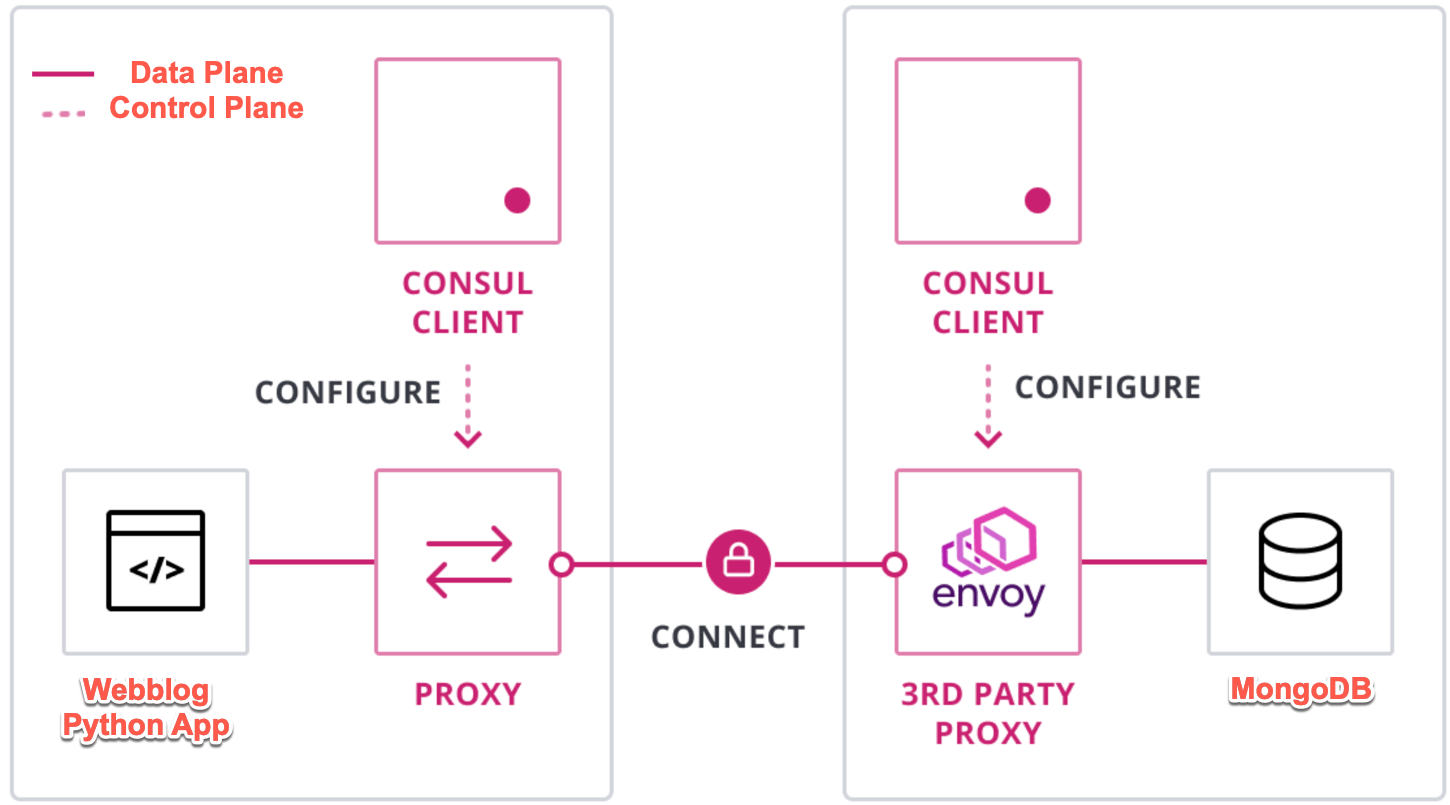
🧠 What We Will Build
Consul Server  (control plane)
Consul Client  (worker node)

web service  (nginx)
api service  (http-echo)

✔ Service Discovery
✔ Health Checks
✔ KV Store
✔ ACL Security
✔ Service Mesh (mTLS + intentions)
Everything runs in Docker.
0️⃣ Prerequisites
1️⃣ Setup Base Infrastructure (ONCE)
Create Docker network
Start Consul Server
docker run -d \
  --name consul-server \
  --network consul-net \
  -p 8500:8500 \
  hashicorp/consul:1.17 \
  agent -dev -client=0.0.0.0
👉 UI: http://localhost:8500
Start Consul Client
docker run -d \
  --name consul-client \
  --network consul-net \
  hashicorp/consul:1.17 \
  agent -retry-join=consul-server -client=0.0.0.0
Verify:
🟩 PILLAR 1 — SERVICE DISCOVERY (PRACTICAL)
What we prove
Services can be found by name, not IP.
Run Web Service
Register Web Service
docker cp web.json consul-client:/web.json
docker exec consul-client consul services register /web.json
Verify
UI → Services → web
✅ Service discovery pillar complete
🟨 PILLAR 2 — HEALTH CHECKS (PRACTICAL)
What we prove
Only healthy services receive traffic.
Update Service with Health Check
cat <<EOF > web-health.json
{
  "service": {
    "name": "web",
    "port": 80,
    "check": {
      "http": "http://web",
      "interval": "10s",
      "timeout": "2s"
    }
  }
}
EOF
docker cp web-health.json consul-client:/web-health.json
docker exec consul-client consul services register /web-health.json
Break the service
UI:
- web → ❌ critical
Restart:
UI:
- web → ✅ passing
✅ Health check pillar complete
🟦 PILLAR 3 — KEY VALUE STORE (PRACTICAL)
What we prove
Centralized, dynamic configuration.
Write config
docker exec consul-server consul kv put app/env production
docker exec consul-server consul kv put app/feature_x enabled
Read config
Watch config changes
In another terminal:
👉 Watch triggers instantly
UI → Key/Value
✅ KV pillar complete
🟥 PILLAR 4 — ACL & SECURITY (PRACTICAL)
What we prove
Zero-trust access control.
Enable ACLs
Copy SecretID.
Export token
Create Read-Only Policy
cat <<EOF > readonly.hcl
node_prefix "" {
  policy = "read"
}
service_prefix "" {
  policy = "read"
}
EOF
Create Token
docker exec consul-server consul acl token create \
  -description "readonly-token" \
  -policy-name readonly
Test Access
Without token → ❌ denied With token → ✅ allowed
👉 This is Consul security in action
✅ ACL pillar complete
🟪 PILLAR 5 — SERVICE MESH (mTLS + INTENTIONS)
⚠️ This is the most powerful pillar
What we prove
✔ mTLS encryption ✔ Service identity ✔ Traffic allow/deny
Register API with Sidecar
cat <<EOF > api.json
{
  "service": {
    "name": "api",
    "port": 5678,
    "connect": {
      "sidecar_service": {}
    }
  }
}
EOF
docker cp api.json consul-client:/api.json
docker exec consul-client consul services register /api.json
Default Behavior
❌ web → api = BLOCKED
Create Intention
Meaning:
Verify in UI
UI → Intentions
👉 This is zero-trust networking
✅ Service mesh pillar complete
🧠 FINAL CONSUL PILLARS CHECKLIST
| Pillar | Status |
|---|---|
| Service Discovery | ✅ |
| Health Checks | ✅ |
| KV Store | ✅ |
| ACL Security | ✅ |
| Service Mesh | ✅ |
You now ran EVERY CONSUL FEATURE PRACTICALLY.
🏁 What You Are Now Capable Of
You can now:
- Explain Consul end-to-end
- Design service discovery
- Implement zero-trust networking
- Run Consul outside Kubernetes
- Answer Consul vs Istio / DNS questions
- Use this in real DevOps interviews