userdata and proviaioning

In the context of Terraform, user data and provisioners are features that allow you to customize and configure instances launched by infrastructure resources. They are commonly used with cloud providers like AWS, Azure, Google Cloud, etc.
User Data
Definition: User data is a script or cloud-init configuration that is passed to an instance during launch. It allows you to perform custom actions such as installing software, configuring the instance, or executing scripts as part of the instance initialization process.
Usage:
resource "aws_instance" "example" {
  ami           = "ami-12345678"
  instance_type = "t2.micro"

  user_data = <<-EOF
              #!/bin/bash
              sudo apt-get update
              sudo apt-get install -y apache2
              echo "Hello from the user data script" > /var/www/html/index.html
              systemctl start apache2
              EOF

              OR

user_data = file("userdata.sh")

}
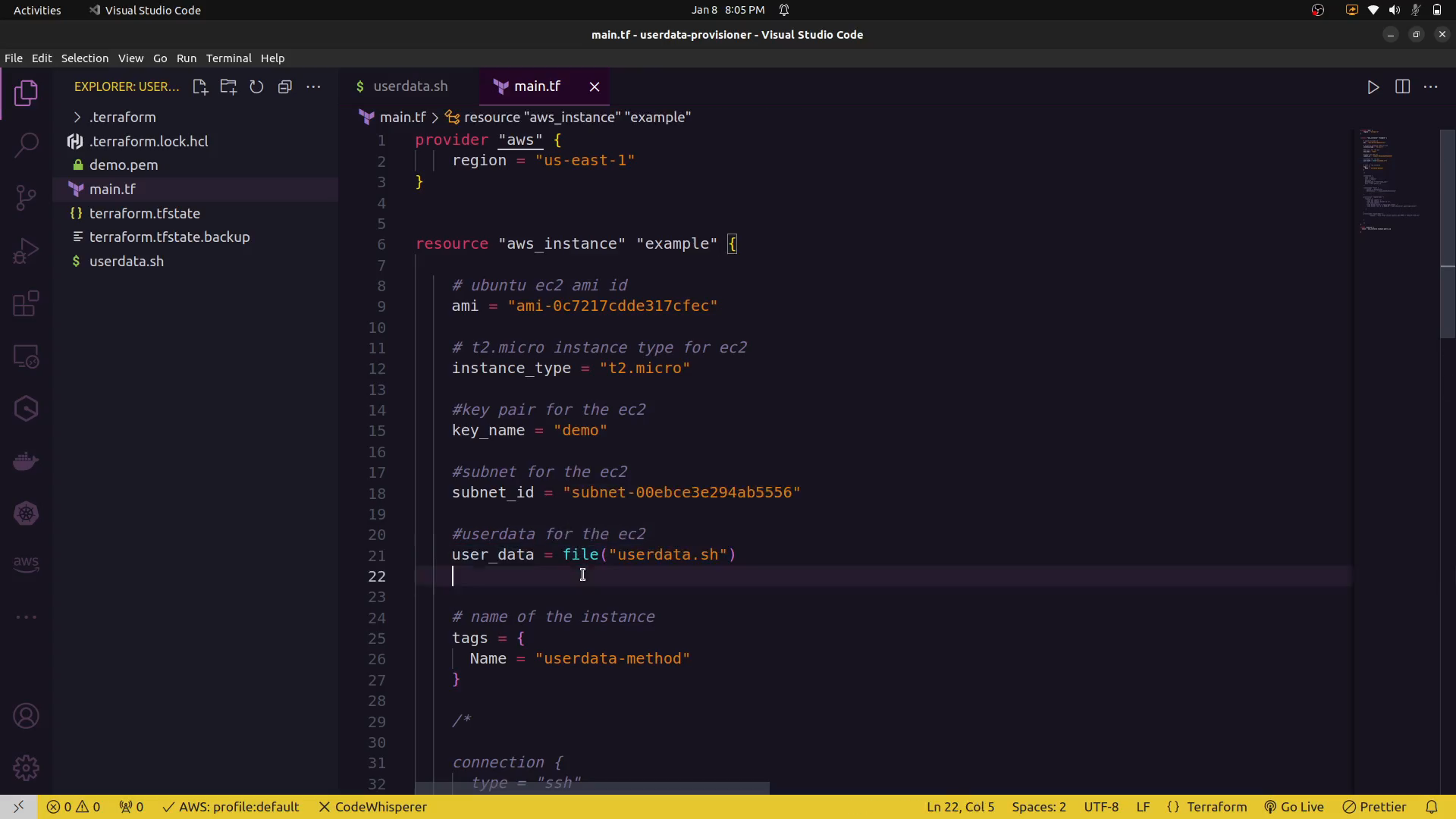
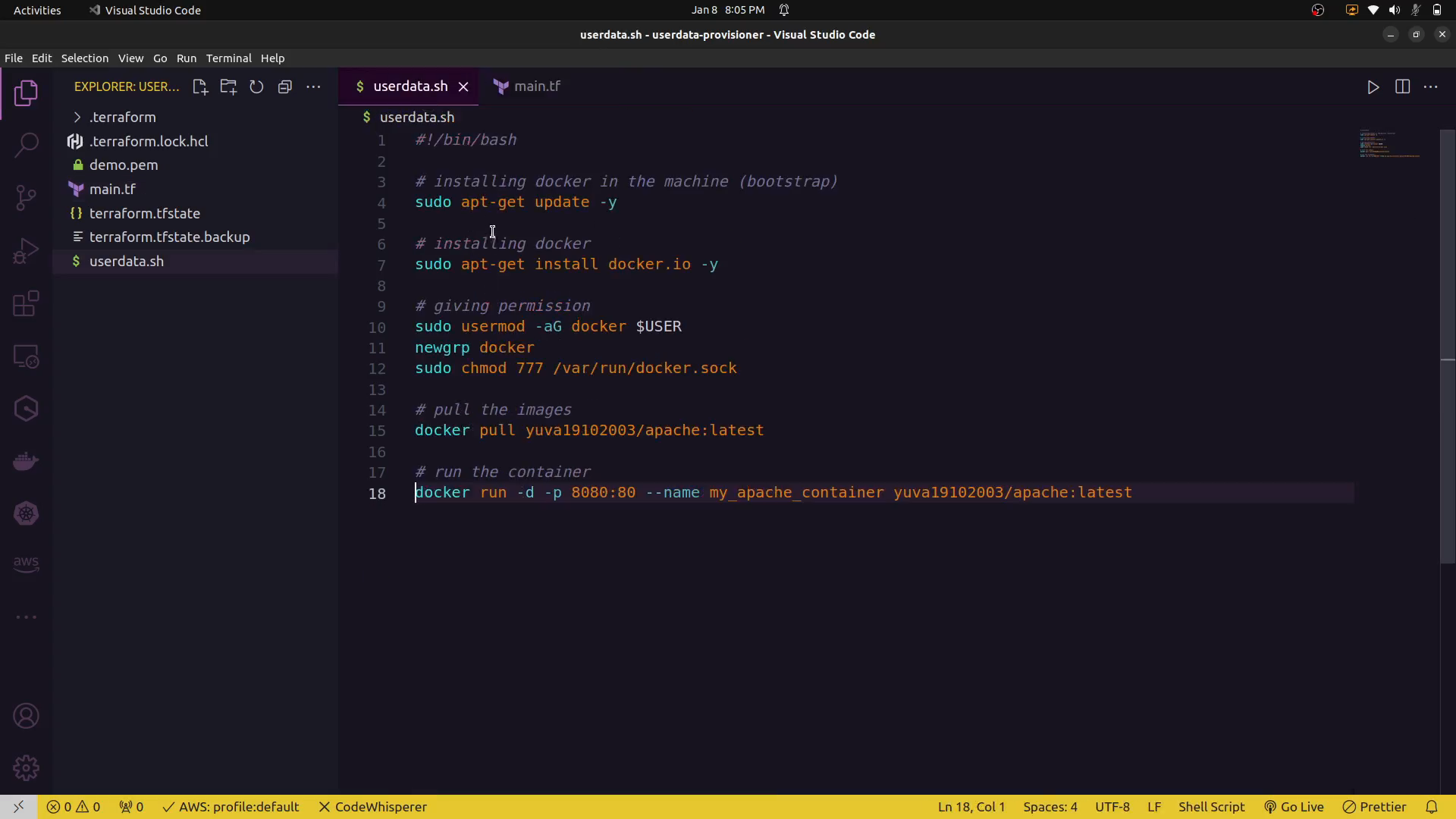
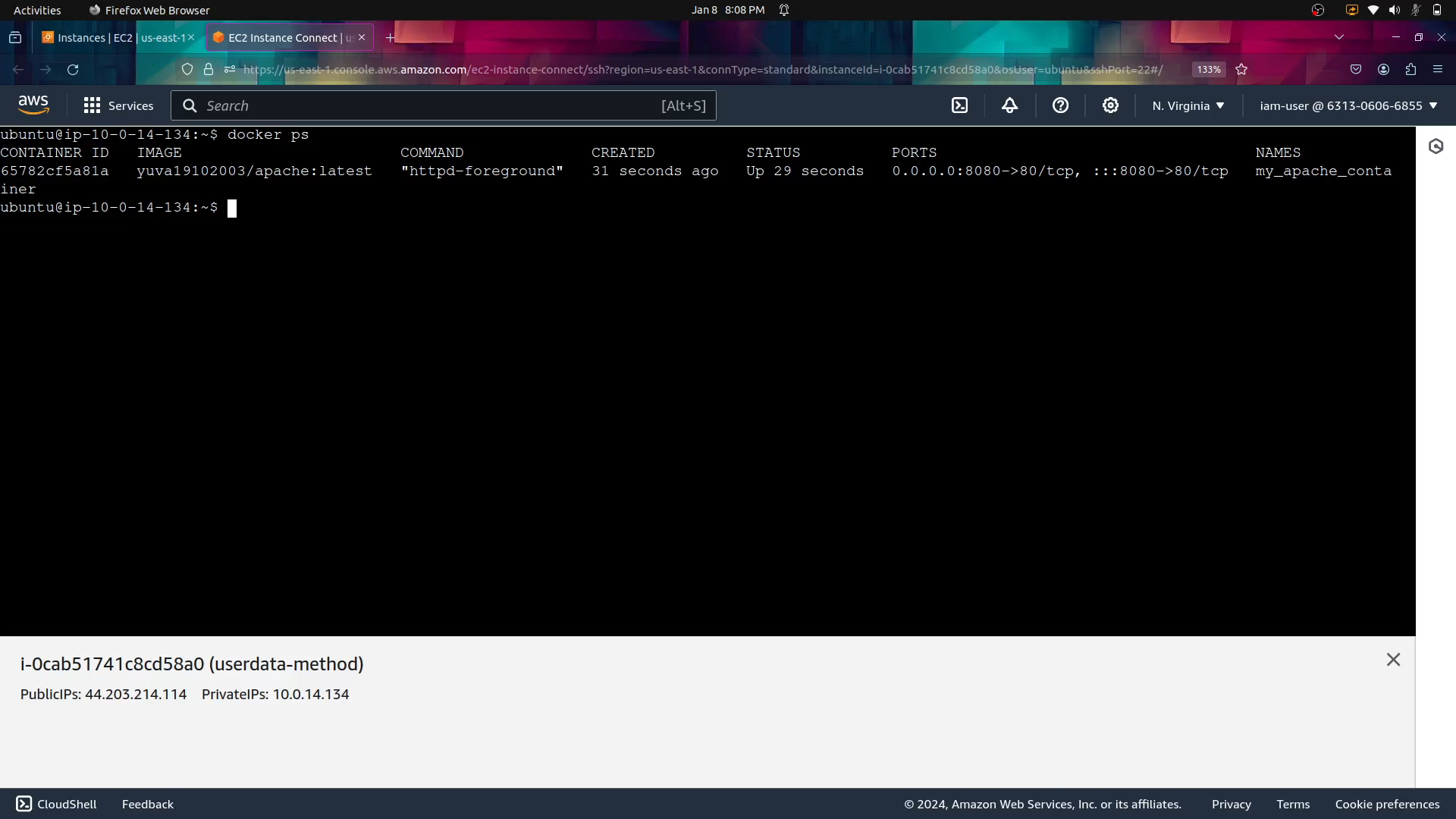
In this example, the user_data attribute contains a bash script that installs Apache and creates a simple HTML file. This script is executed when the instance is launched.
Provisioners
Definition: Provisioners in Terraform are used to execute scripts or configuration management tools on a resource after it has been created. Provisioners are typically used for tasks such as installing software, configuring the instance, or performing additional setup steps.
Usage:
resource "aws_instance" "example" {
  ami           = "ami-12345678"
  instance_type = "t2.micro"

  provisioner "remote-exec" {
    inline = [
      "sudo apt-get update",
      "sudo apt-get install -y apache2",
      "echo 'Hello from the provisioner' > /var/www/html/index.html",
    ]
  }
}
In this example, the provisioner block uses the remote-exec type to execute a series of commands on the instance after it has been created. Similar to user data, these commands can include software installations, configurations, etc.
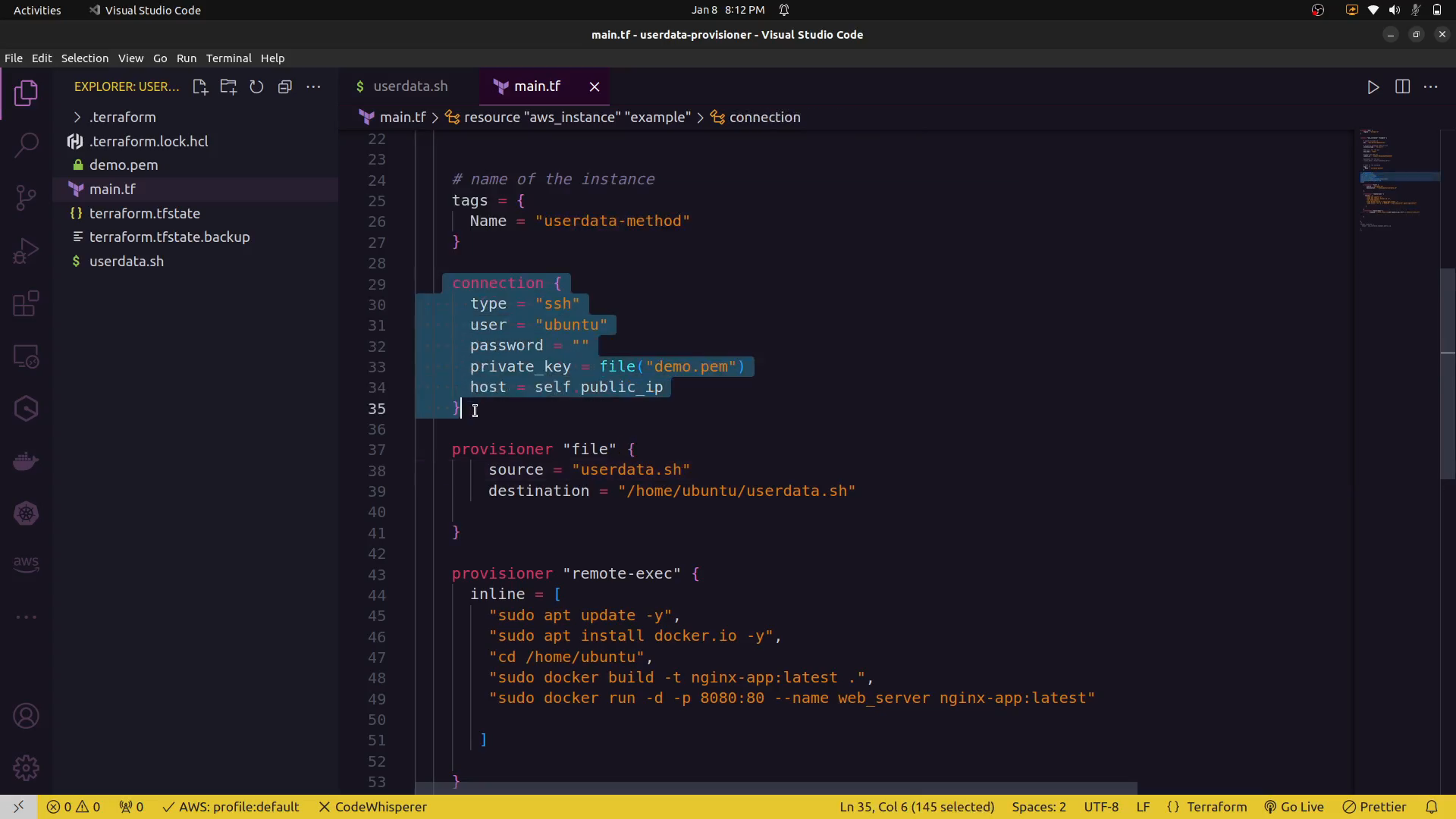
connection block:
    connection {
      type = "ssh"
      user = "ubuntu"
      password = ""
      private_key = file("demo.pem")
      host = self.public_ip
    }
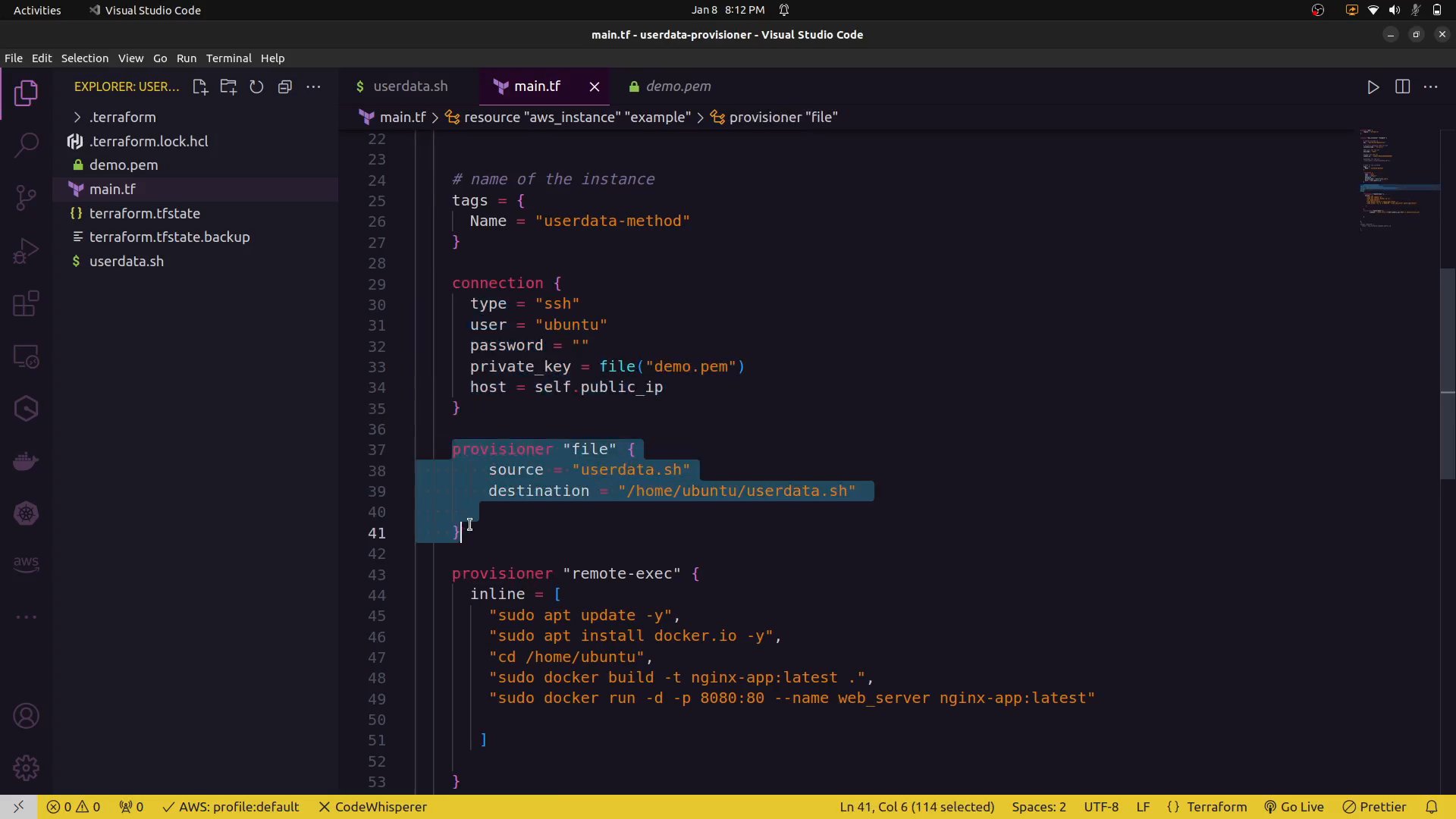
file provisioning:
Key Differences
- Timing:
- User data runs during the instance initialization process.
-
Provisioners run after the resource has been created.
-
Execution Environment:
- User data scripts run in a cloud-init environment and may have access to cloud-specific features.
-
Provisioners run on the instance itself and may use different provisioner types based on the use case (e.g.,
remote-exec,local-exec, etc.). -
Use Cases:
- User data is commonly used for basic instance setup and configuration.
- Provisioners are more flexible and can be used for complex configuration management tasks or tasks that need to be executed after the instance has been created.
Certainly! Both remote-exec and local-exec are provisioner types in Terraform. They are used to execute commands on the remote resource (like an EC2 instance) or on the machine running Terraform, respectively. Here are examples for both:
Remote-Exec Provisioner
The remote-exec provisioner is used to execute commands on the remote instance after it has been created.
    provisioner "remote-exec" {
      inline = [
        "sudo apt update -y",
        "sudo apt install docker.io -y",
        "cd /home/ubuntu",
        "sudo docker pull yuva19102003/apache:latest",
        "sudo docker run -d -p 8080:80 --name web_server yuva19102003/apache:latest"

       ]

    }
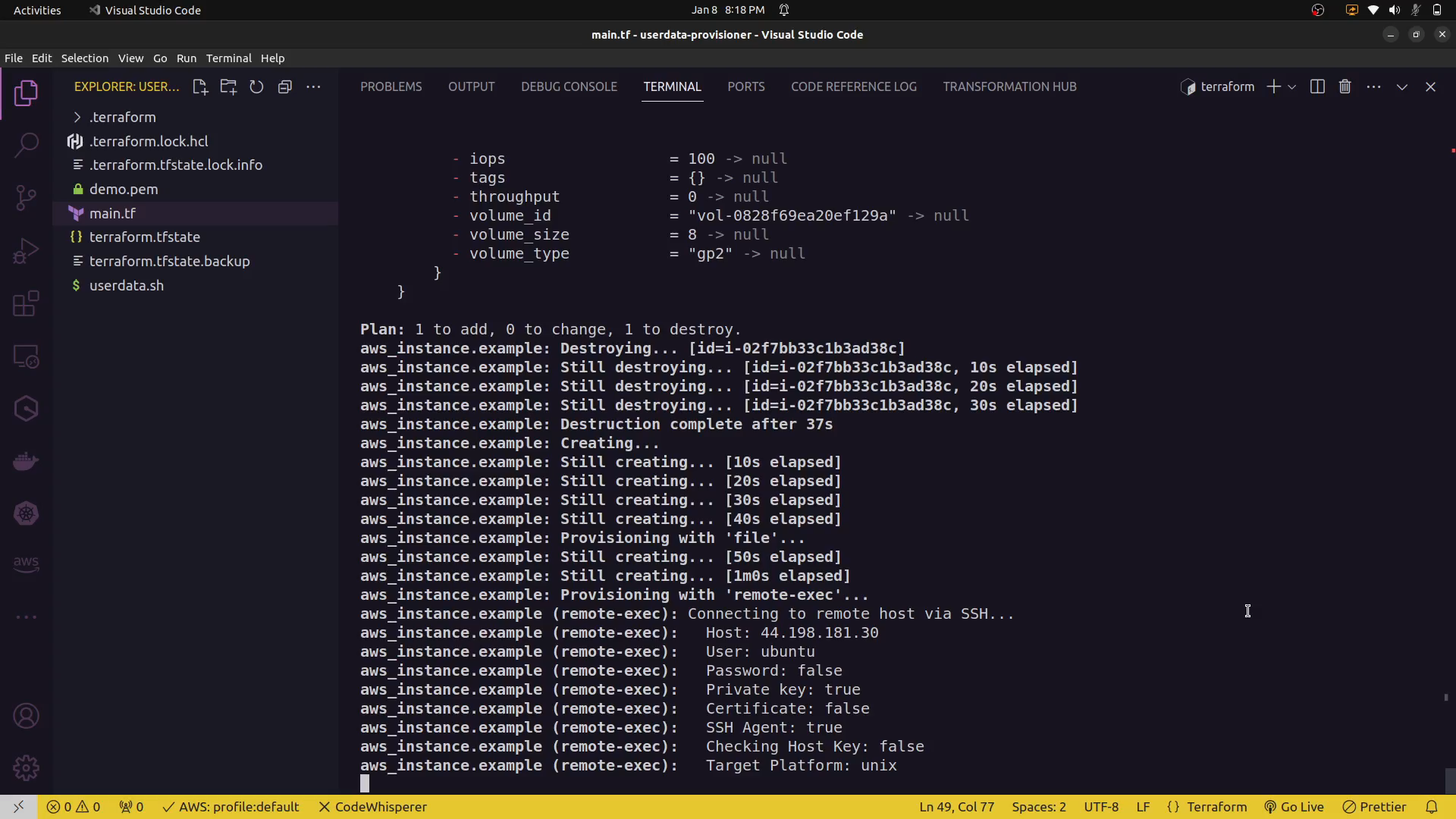
In this example, the remote-exec provisioner is used to SSH into the created EC2 instance and execute the specified commands.
Local-Exec Provisioner
The local-exec provisioner is used to execute commands on the machine running Terraform. This can be useful for tasks that don't require access to the remote resource.
In this example, the local-exec provisioner simply executes a local command on the machine running Terraform.
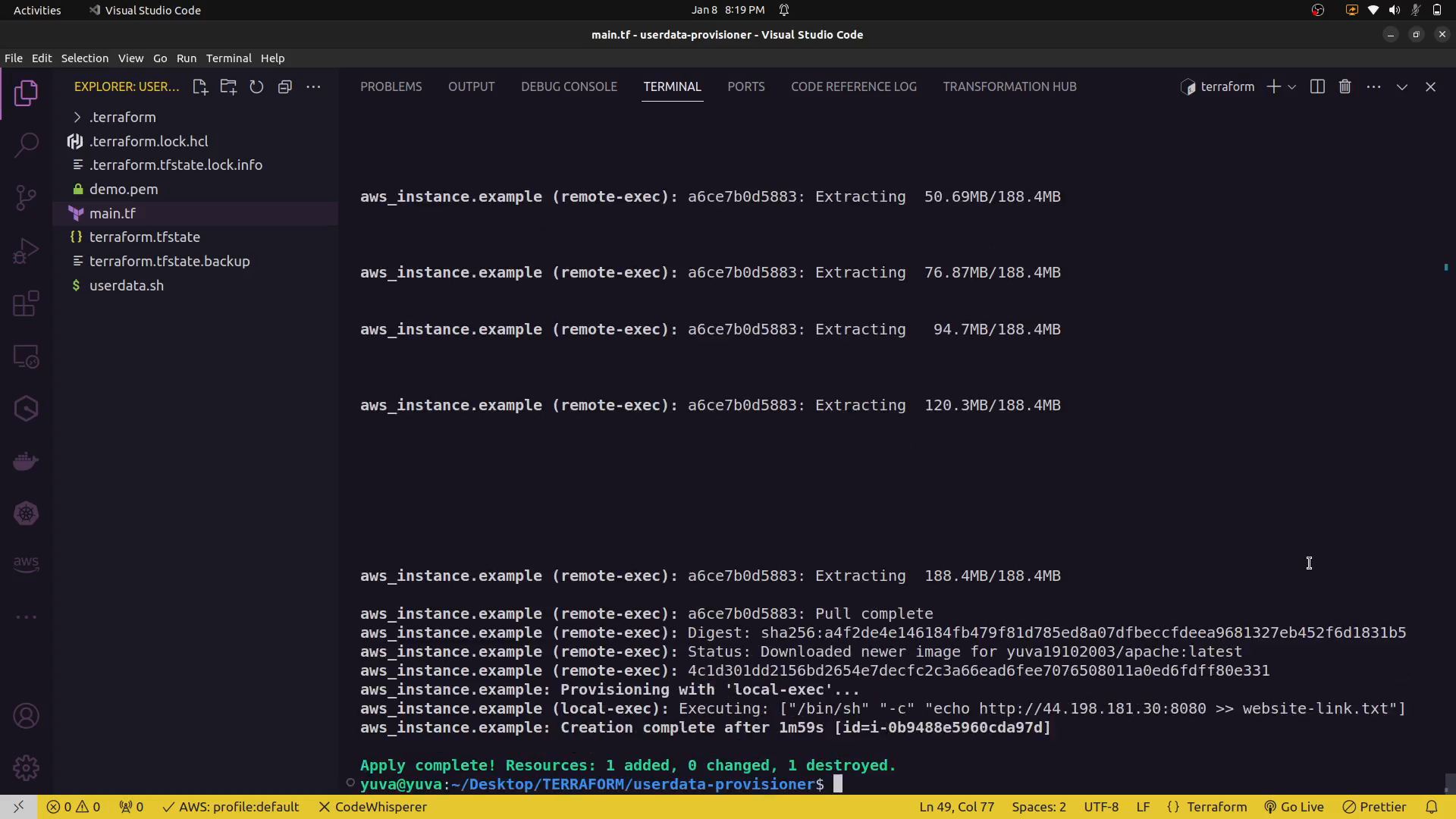
output:

Important Considerations:
-
Security: When using
remote-exec, ensure that your connection is secure. It often involves specifying SSH details, including private keys. Use appropriate security measures, and consider alternatives like using configuration management tools for more complex setups. -
Idempotence: Provisioners are not idempotent by default. Ensure that your provisioner scripts can be run multiple times without causing issues.
-
Alternatives: While provisioners can be handy for simple use cases, consider using more robust configuration management tools (e.g., Ansible, Chef, Puppet) for complex setups and better maintainability.
Choose the provisioner type based on your specific use case and whether you need to execute commands on the remote resource or locally on the machine running Terraform.
Note: While both user data and provisioners can be powerful tools, it's generally recommended to use configuration management tools (like Ansible, Chef, or Puppet) for more robust and maintainable infrastructure setups, especially in larger or more complex environments.